The native score workstation

Write the music.
Work on the score.

ScoreScript keeps the source, engraved page, and performance in one composition. Edit either side. Hear what you wrote.

Enter the workstation
Hello, ScoreScriptSaved
Codehello.scorescript
scorescript 0.3
score "Hello, ScoreScript" {
  meter 4/4
  key Eb
  tempo 96

  { m1-2:
    { fls:
      *Andante 4Eb4(mf)< G 2Bb |
      4.Eb &G 2F(p)
    }
    { hns: 2Bb4 Bb | 1Ab }
  }
}
PaperConcert score
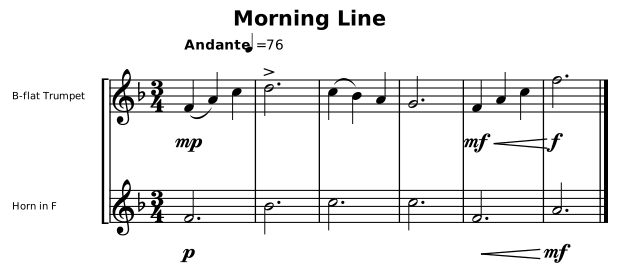
Hello, ScoreScript rendered by the real ScoreScript engraving engine
Source and score stay linked. Write readable music on the left; the real page redraws beside it.
Native LinuxAndroid pathPDF + SVGNative · SoundFont · MIDI

One composition, every form

The page is not a preview. It is where you work.

Select notation and reveal its source. Change the source and keep the last good page visible. Shape engraving without creating a second version of the music.

01 / Write

Readable source

Music stays plain text: durable, searchable, versionable, and direct enough to write with an editor or an agent.

02 / Shape

Selectable paper

Notes, dynamics, tempo, slurs, and page objects point back to the exact authored span that produced them.

03 / Hear

Sound without lock-in

Use the built-in instrument, your SoundFont, or a MIDI port into the tools already in your studio.

The same engine underneath

What you see, export, and hear comes from the same score.

PaperScore ↔ source selection
PrintPDF and SVG pages
PerformanceNative, SoundFont, MIDI out
PlatformDesktop today, Android in development

ScoreScript for the workbench

Write. Shape. Hear.

The public site and application are in active development.

Explore the ScoreScript language